



ZenBack Massage Office Chair


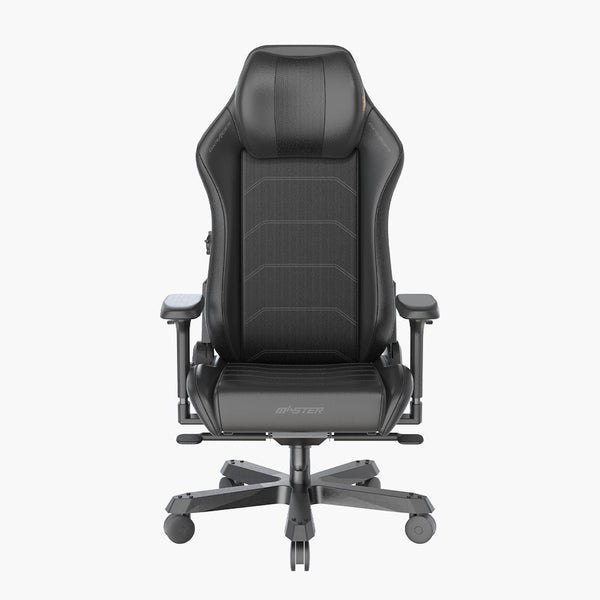
Master Gaming Chair

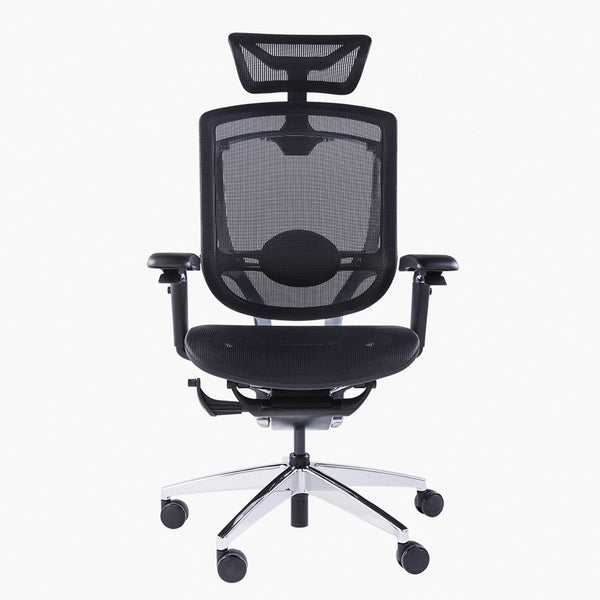
FreeMAX – Martha M


EX Seating


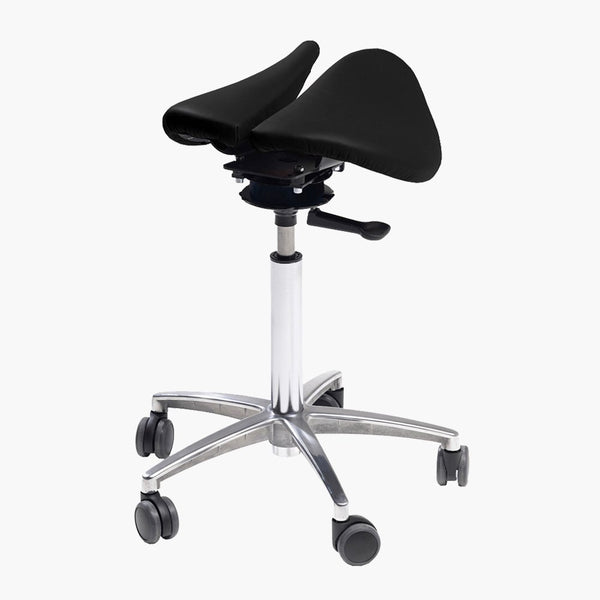
FreeMAX – Kneeling Chair


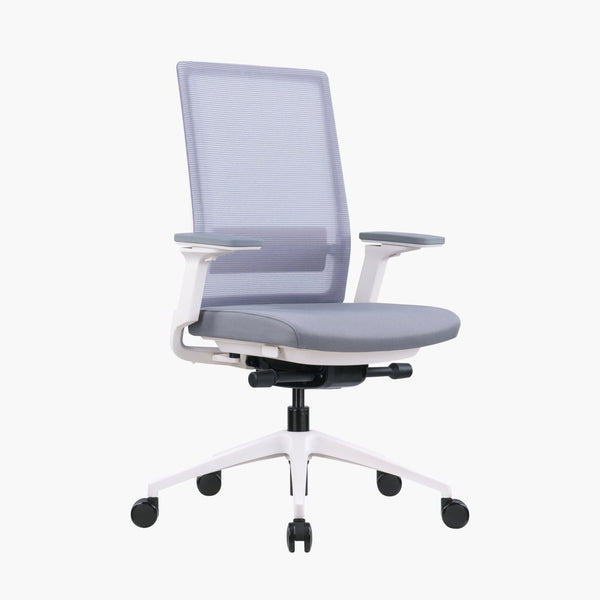
Basto Dynamic Office Chair (no headrest)



Floor Protector
What is the best ergonomic office chair in Hong Kong?
Freemax offers the best ergonomic office chairs in Hong Kong, designed to provideoptimal lumbar support and relieve back pain for long hours of sitting. With over 15 yearsof experience, our chairs feature adjustable headrests, 3D/4D armrests, and breathablemesh materials. We provide professional assembly and up to 5 years of local warranty
Where to buy authentic DXRacer gaming chairs in Hong Kong?
Freemax is the sole authorized distributor of DXRacer gaming chairs in Hong Kong. Ourergonomic gaming chairs are built with a racing-seat design, offering a 160-degreereclining backrest, high-density foam, and EPU leather for ultimate comfort during longgaming sessions. We provide genuine product guarantees and professional after-salesservice.
Reduce lumbar burden
Professional ergonomic chairs provide excellent lumbar support, which can reduce pressure on the lumbar spine and prevent problems such as lumbar muscle strain and disc herniation. Compared to ordinary computer chairs, ergonomic office chairs can better fit the curve of the spine, providing continuous support for users who work for long periods.
Improve sitting posture
Proper ergonomic computer chair design can guide you to maintain a correct sitting posture, avoiding long-term slouching, hunching, or other poor postures. The design principle of this office chair is based on ergonomics, ensuring that every user can find the most suitable sitting posture.
Enhance comfort
By adjusting the computer chair's height, backrest angle, armrest position, etc., ergonomic office chairs can create the most comfortable sitting posture for you, reducing fatigue. This adjustability is an advantage that ordinary office chairs cannot match.
Increase concentration
A comfortable computer chair sitting posture can help you stay focused and improve work efficiency and creativity. When the body is properly supported, the brain can focus more on work tasks rather than dealing with physical discomfort.
In summary, a high-quality ergonomic chair is a worthwhile investment that has a long-term positive impact on your health and work performance.
How to choose a suitable ergonomic computer chair?
With so many ergonomic chairs, office chairs, and computer chairs on the market, how do you choose the one that's best for you? Here are some key factors to consider:
Computer chair size selection
Choosing a computer chair size that matches your height and weight is very important. Generally, the seat height of an ergonomic chair should allow your feet to be flat on the floor, with your thighs parallel to the ground. The width and depth of the office chair should be able to support your hips and thighs, while leaving about four fingers' width between the front edge of the chair and your knees.
Office chair backrest design
An ergonomic office chair's backrest should provide good lumbar support while allowing your spine to maintain its natural S-curve. Adjustable lumbar support can provide optimal support according to your body curve. The height of the computer chair's backrest should also be sufficient to support your shoulders and neck.
Computer chair armrest design
Adjustable armrests can reduce pressure on your shoulders and arms, preventing neck and shoulder pain. Choose an ergonomic chair that allows you to adjust the height and angle of the armrests so that you can keep your arms and shoulders relaxed when typing or using a mouse. This is an important feature that cannot be ignored when purchasing an office chair.
Ergonomic chair seat design
The computer chair seat should provide sufficient hip support while allowing you to move easily in the chair. Materials such as memory foam or high-density foam can maintain comfort during long periods of use. The front edge of an ergonomic office chair's seat should be slightly tilted downwards to reduce pressure on the back of your thighs.Office chair recline and rocking function
Adjustable backrest recline angle and tension can help you switch between sitting postures, reducing back pressure. Moderate computer chair rocking function can also promote blood circulation and reduce discomfort caused by prolonged sitting. These functions make ergonomic chairs more user-friendly.
Computer chair casters and base
If you often need to move around your desk, choosing an office chair with high-quality casters can improve work efficiency. For hard floors, choose softer casters; for carpets, choose harder casters. In addition, a five-star base can provide better stability and support, which is a standard configuration for ergonomic computer chairs.
Office chair material and breathability
The computer chair fabric should be soft, breathable, and able to wick away moisture. Mesh and high-grade leather are good choices. If you tend to sweat, choosing a breathable ergonomic chair material is especially important.
Freemax Ergonomic Computer Chair Series Recommendation
Freemax is committed to providing customers with high-quality ergonomic chairs, office chairs, and computer chairs. Our chair series has the following features:
Multiple computer chair size options
We offer a variety of computer chair sizes to suit users of different heights and body types. Each ergonomic chair is carefully designed to ensure it meets the physical characteristics of Asians.
Adjustable lumbar support
The office chair backrest provides adjustable lumbar support, which can provide optimal support according to your body curve. This is one of the core advantages of Freemax ergonomic computer chairs.
Flexible computer chair armrest design
The armrest height and angle can be adjusted to ensure your arms and shoulders remain relaxed while working. This design makes our office chairs more ergonomic.
High-density foam cushion
Made of high-density foam material, it maintains comfort and support even during long periods of use. This is an important indicator of the quality of an ergonomic chair.
Ergonomic chair recline locking function
The backrest can be reclined at multiple angles according to your needs and can be locked in a suitable position. This makes the computer chair more flexible and convenient to use.
High-quality casters and five-star base
Uses wear-resistant and durable high-quality casters and an aluminum alloy five-star base, providing smooth movement and high stability. This is an important guarantee for the safety of office chairs.
Breathable and skin-friendly fabric
Selected high-grade breathable mesh fabric and top-grain cowhide, soft and skin-friendly, maintaining good breathability. This keeps ergonomic computer chairs comfortable even in Hong Kong's humid climate.
Whether you work from home or in an office, Freemax can provide you with a satisfactory ergonomic chair. Welcome to visit our showroom for an experience, or browse our website for more computer chair and office chair information.
Computer Chair Maintenance and Cleaning Tips
To extend the life of your ergonomic chair and keep it looking new, here are some office chair maintenance and cleaning tips: Regular dusting
Weekly use a soft brush or vacuum cleaner to clean dust and debris from the surface of the computer chair, especially in crevices and corners. This prevents dust from abrading the ergonomic chair fabric.
Timely stain removal
If there are stains from food, drinks, etc., remove them promptly with a damp cloth or special cleaner to prevent the stains from penetrating the office chair fabric fibers and causing permanent damage.
Avoid direct sunlight
Long-term direct sunlight can cause computer chair fabric to fade or age. Try to place the ergonomic chair in a location where it is not exposed to direct sunlight, or use curtains to block it.
Regular inspection and adjustment
Check the office chair's parts once a month and tighten any loose parts promptly. At the same time, adjust the computer chair's height, backrest angle, etc., according to your needs to ensure it is in optimal condition.
Careful use
Avoid standing on the ergonomic chair or using it to carry heavy objects, as these actions may damage the office chair's structure and parts.
Annual deep cleaning
It is recommended to have the computer chair professionally deep cleaned once a year to thoroughly remove dirt from the surface and crevices. You can contact a professional cleaning company or follow the ergonomic chair's maintenance manual for cleaning.
Through regular cleaning and maintenance, your ergonomic office chair can accompany you for many years, providing you with a healthy and comfortable work experience.
Future Trends in Office Ecology
With the advancement of technology and increased health awareness, the design and materials of computer chairs are also constantly innovating. Here are some trends in the future development of ergonomic chairs and office chairs:
Smart adjustment
Future computer chairs may be equipped with sensors to monitor your sitting posture in real-time and automatically adjust to the optimal state according to your body type and habits. This smart ergonomic chair will completely change the office experience.
Health monitoring
Smart office chairs may also integrate various health monitoring functions, such as reminding you to stand up and move, monitoring your heart rate and breathing, etc., to help you develop healthier work habits.
Sustainable materials
With increasing environmental awareness, more and more computer chairs will use recyclable, biodegradable, and environmentally friendly materials, such as recycled plastics, organic cotton, etc. Freemax's ergonomic chairs will also develop in this direction.
Modular design
Modular office chair design allows you to freely combine and replace parts according to your needs, creating a unique personalized computer chair.
Wireless charging
Integrate wireless charging technology into the armrests or base of ergonomic chairs, allowing you to charge your phone or laptop at any time while working.
Multifunctional design
Future office chairs may integrate more functions, such as built-in speakers, massagers, etc., allowing you to enjoy relaxation time while working. Freemax will closely follow industry trends, continuously innovate, and bring customers a smarter, healthier, more environmentally friendly, and user-friendly ergonomic computer chair experience. We look forward to exploring the future of office ecology with you.
Frequently Asked Questions
How to judge whether a computer chair is ergonomic?
A qualified ergonomic chair should have the following characteristics: adjustable seat height and depth, a backrest support that conforms to the curve of the lumbar spine, adjustable armrest height and angle, breathable and comfortable seat material, and a stable and flexible caster base. You should be able to adjust the computer chair according to your body to achieve the most comfortable sitting posture.
What is the difference between an ergonomic chair and a general office chair?
Compared to general office chairs, ergonomic chairs pay more attention to the support and comfort of various parts of the body. They usually have more adjustable functions, such as lumbar support, armrest height, etc., to adapt to different body types of users. Ergonomic computer chairs use better materials and craftsmanship, providing better comfort and support during long periods of use.
Can using an ergonomic computer chair relieve existing back pain?
Using a suitable ergonomic chair can significantly improve back pain. It can correct poor sitting posture, reduce pressure on the lumbar spine and intervertebral discs, and promote blood circulation. However, for severe chronic pain, relying solely on an office chair may not be enough, and professional medical advice and treatment are also needed.
What is the correct sitting posture when sitting in an ergonomic office chair?
The correct computer chair sitting posture should be: feet flat on the ground, thighs parallel to the ground; back close to the backrest, maintaining the natural curve of the spine; shoulders relaxed, arms naturally hanging down, forearms parallel to the keyboard or desk; head slightly tilted forward, line of sight parallel to the upper third of the screen. Maintaining this sitting posture can minimize physical pressure and fatigue.
How to choose the most cost-effective computer chair with a limited budget?
First, determine your budget range. Then, list the features you need most, such as lumbar support, adjustable armrests, etc. Based on this priority list, choose an ergonomic chair that meets as many needs as possible within your budget. It is recommended to choose office chairs from well-known brands, as they usually undergo strict ergonomic testing and their quality is more guaranteed. In addition, you can choose computer chairs made of fabric rather than genuine leather to save costs.
We hope this detailed guide to ergonomic chairs, office chairs, and computer chairs can help you find the perfect chair, allowing you to have a healthy and comfortable experience at work. If you have any other questions or needs, please feel free to contact Freemax. We look forward to providing you with the most professional ergonomic computer chair service.